Want to remove ads? Become a MK3OC Club Member today!

PC Chat Thread

Small update again.. I was finding I was getting close to using up my 24GB ram, so doubled it. 12 sticks of RAM installed now :)

download.jpg

As you can see by the RAM usage, I needed the extra to go any further!
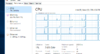
download.png

Then next, I decided to buy another server :D This time a Delll R210 II. It's smaller and much less power hungry than my R710, but still pretty powerful. It's to replace my HP N54L Microserver, which was running pfSense and PiHole.. but I found the N54L's CPU was limiting me, plus the next release of pfSense requires the CPU to have AES-NI instructions, which the N54L did not have.

So I got ESXI on the new server and got it all up and running. But ran into a few issues with ESXI, so ditched it for Windows Server 2016 and using Hyper-V for VM's.

download.jpg

So the R210 II has an Xeon E3-1230 V2, 8GB of DDR3 ECC Unregistered RAM (that stuff aint cheap :( ), plus I pulled a 120GB SSD from an old laptop for it, and it came with a 1TB WD Blue hard drive.

It's currently just running pfSense with some extra packages like pfBlockerNG, Squid and Snort. The first is basically an Ad-Blocker, the second is currently just running as a local cache and the third is intrusion detection and blocking. The local cahce is awesome. I downloaded a 150mb file last night, from a very slow server (150kb/s download!), then downloaded it again on another laptop, and it downloaded in seconds as the file was cached on my server, proper cool.

It's currently set up in the cupboard under the stairs as that's where the modem is, plus it's out the way. Great little machine for the cost though, really pleased with it.

download.jpg
 
It's amazing what you can pick up on eBay, for very little money, in Most cases, businesses that just want rid....

Little update on my PC & Mac Stuff

I just got a second hand WD EX2 Cloud, wanted the EX2 as the EX2 ultra the firmware doesn't allow seagate drives and that was what i had left from my Dell when i sold it.

Picked one up on eBay in good condition, sat in the garage in mirrored mode, Can share stuff to people from it and my iMac does a TimeCapsule backup to it as well as a local removable drive. Uses 12Watts at full power and switches off at night.

So 2017 Camera Raw files consisted of about 450GB of images, So i archived them off on to a tape for safe keeping and then copied them all onto an RDX Drive, so i can quickly access them in lightroom on the mac or the laptop when i want.

Electricity bill seems to have gone down since getting rid of the Dell, It was an awesome workhorse but got too hot and was quite noisy.
 
Another PC update.. The R210 II was using a fair bit of its 8GB RAM, so I put my spare 4GB stick in as well to make 12GB, it's not an ideal config but gives a bit of headroom :) May get another 4GB stick to make it 16GB eventually, but no rush as it works fine and RAM for it is expensive!

Latest purchase is a proper switch:
download.jpg

24 Ports of managed gigabit ethernet. My old 8-port 'dumb' switch was filled to capacity and lacked a lot of features I wanted, VLANs especially. So I added it to my stack in the cupboard:
download.jpg

But I was both running out of room, and it wasn't an ideal setup as I couldn't access things very well. So after a trip to Ikea yesterday, meet the LACKrack :)
download.jpg

A pair of £5 Ikea tables, which happen to be the exact same width as rackmount equipment lol. So I screwed the 2 tables together, mounted the rack stuff, which is supported below by 2 lengths of angle iron. Very pleased with the result! Especially as everything is accessible from opening a cupboard door under the stairs, and all the wiring at the back I can get to easily also. There's a lot of stuff you can't see in the picture, there's a PS3 on top as well, Hue hub, an android tv box, loads of stuff lol. Now I just need to spend some time setting up the switch.
 
Whats the Audio Amp for? Just usually you would want it in the room/s so you can change settings or is it remotely controlled?

Those switches pop up really cheap now, we are looking at upgrading to a 24 or 48 because we have a 16 already with about 2 other hubs to give enough ports, Got a few wifi points in the house that run on Poe and hoping to put some poe cameras in.

What ram does your Server take? I think i have some 4gb sticks around from that old Dell workstation, i know we had some RDimm and all ECC stuff.
 
It takes DDR3 ECC UDIMMs, the most expensive ones lol. They're not mega money to be fair, but more than I can warrant currently.

They are mega cheap though, picked this one up for £35! I'm going to mod/change the noisy little 40mm fans though. Definitely want some POE cameras in future.

Oh and audio amp is for the TV. My living room TV is on the other side of the wall, so just power and HDMI through the wall, and all the AV kit under the stairs. Amp controls all the HDMI inputs, and I have a Logitech Harmony Elite remote which is bluetooth to the hub under the stairs, so everything works nicely, and all there is in the living room is a TV, a set of speakers and not a wire or device in sight :)
 
Mikrotik cloud switch shat itself :(

Immediately took the opportonity to just replace my entire network with Ubiquiti's Unifi.

1x USG
1x Cloud key
1x US 24 managed switch
3x AP AC lites

Gotta say i love the UI on these, everything is very easily laid out, making VLAN's in a heaven....

Now to get a 6U rack and mount it all properly.

ah8kGuU.jpg

HxT8dnQ.jpg
 
Thanks!

Yeah i heard many great things about it, and i'm really digging this so far. It has a massive community and it's fairly straight forward to install!

Only thing i kinda worry of is that switch running fairly hot

it's running at 70°c, which i find just a tad hot for just running 3 vlans...
 
And racked!

2hL7M0R.jpg


o2YYmrq.jpg
 
I notice the cloud key does get pretty hot!
It's also non power cut safe, database corrupts if you unplug it.

I could've hosted it on my raspberry pi or NAS tho, but was already in a Ubiquiti buying spree lol
 
I didn't bother with one of those, host it on my server.

Same for home, but for customers they sometimes don't have any infrastructure.

I notice the cloud key does get pretty hot!
It's also non power cut safe, database corrupts if you unplug it.

I could've hosted it on my raspberry pi or NAS tho, but was already in a Ubiquiti buying spree lol

No they're not which is annoying when a customer decides to restart all their kit. Luckily they do an auto backup, if the SD card doesn't cook itself.
 
Uh oh!

Time to turn off DPI!

Zl5neSE.png
 
So For my final University Exhibition I am projecting a video, I needed something small and reliable to use as a computer for it, as well as giving some information on my other work. Also Always fancied one of these machines.

Bought it for £60 on eBay, standard with the i3-3220, 4gb of ram and 500gb HDD.
DSC_0677.JPG

Image for size comparison to my mac keyboard....

External Power supply rated at 135 watts, can get a 180watt one if you put dedicated graphics in....

DSC_0675.JPG

Slot for a PCIe wifi as well as MSata Ssd, Also has a 2.5 inch drive as well as a DVD burner. Might remove the DVD drive after the event and use it as a media server, as the power usage is under 20 watts when idling.

DSC_0670.JPG

MXM Graphics slot, Supports laptop style graphics card unto 35 watts, HP ones with 2gb GDDR3 retail for about £20 now. but can get 4Gb Nvidia as well for a bit more.

As its a machine to display this video and a small powerpoint on loop it needs to boot quickly and be quiet so just stuck this 64gb ssd in for now and it runs well.

DSC_0668.JPG

Also just got an i7-3770s for less than £70 to put in it, Will be a handy little machine for projects.
 
Haven't updated this thread for a while. Got myself a new laptop today. Only had my current laptop about 4 years, but I decided a gaming laptop was quite pointless for me. I have a PC to game on and never game on my laptop. Which is fine, but the battery life is terrible, it runs really hot and in turn the fans are very noisy.

So the replacement is a Dell XPS 13 9380. Specs:
Intel i7-8565U
16GB DDR4
512GB M.2 NVMe SSD
13.3" 4k HDR Touch screen

The build quality is remarkable, it's solid. It's very thin and light too, with a battery life of 8-9 hours of normal use (from reviews not the bs that Dell claim!). Speaking of reviews, I looked at every review I could find and nobody could fault it. I'm a Dell fan anyway. So here it is :)


Users who are viewing this thread

Back
Top